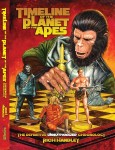
Timeline of the Planet of the Apes

Timeline of the Planet of the ApesRichard Handley’s Timeline of the Planet of the Apes is a 300+ page book consisting largely of a timeline of events from all of the Planet of the Apes movies, television show, novels, comic books, and related fiction including some unreleased material. Available as a paperback on Lulu.com (no PDF download — damn), Handley’s book,

. . . present[s] every recorded event of the Planet of the Apes saga in its proper chronological context—from long before Caesar’s birth to far beyond Earth’s destruction. This book covers every film, television episode, cartoon, novel, comic, short story and audio-tale produced under the Planet of the Apes banner over the past four decades—including a number of rejected or unpublished tales unavailable to fans. No other reference book has covered the saga’s expanded universe so completely.

Along with a painstakingly detailed timeline spanning millennia, this volume features a gallery of more than 350 cover images, a recommended viewing/reading order, an examination of time travel in the Planet of the Apes mythos (both on screen and in print), and a title/creator index of published fiction—plus, insightful notes discussing preliminary and discarded story concepts, inconsistencies and discontinuities, unpublished lore and other fascinating trivia.

Even though it’s paper-only, my Planet of the Apes obssession might just compel me to purchase this.
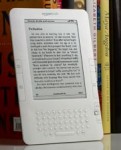
Kindle 2? Yawn

Amazon Kindle 2So Amazon finally announced its long-rumored Kindle 2 which appears to be just like the original Kindle only 25 percent more of everything.

I bought a Kindle right after it went on sale last November, but stopped using it after a couple months. Amazon doesn’t seem to have fixed any of the defects with Kindle 2.

Amazon says the battery lasts 25% longer letting the user “read for days without recharging”. Yeah, right. The Kindle battery life was awful. With its much-vaunted Whispernet turned out, battery life was pretty much non-existent. Most of the times I actually wanted to use the Kindle, the battery was dead. I’ve never seen a device go through power so quickly when it wasn’t even turned on.

Similarly, Amazon says they’ve added more storage so you can carry along more than 1,500 books, but the major defect with the original Kindle was a lack of any way to manage large libraries. I had hundreds of books on my Kindle — the only way to organize them was in one long frakking list which the user then had to page through. No folders, subfolders, tags, categories or any other organizational system other than one big damn list.

The only thing that’s halfway interesting in the Kindle 2 is the text-to-speech feature and I’d really like to hear that demonstrated on a variety of books to see how useful it really is.

Me, I went out recently and bought a Sony PRS700 which is Sony’s second generation reader that has a touch screen and a backlight. The backlight is stupid and pointless (if you’re considering buying a PRS700 for the backlight, don’t). The touch screen works great — I have a habit of underlining and annotating books as I read, and the PRS700 works great for that. Morever, the battery life is fairly good and the PRS700 actually allows the user to sort books into what it calls “Collections,” so I can keep my hard scifi novels separate from the historical romances separate from the science and history books.

And whatever you do, if you’re using an ebook reader don’t pay for the DRMed crap books Amazon and Sony want to sell you unless you have a software tool to remove the DRM. Both readers will accept non-DRMed files and non-DRMed files are the only way to ensure that in a few years you’ll still be able to read the books you buy today.

Keeping a WordPress Site Private, Part Two

WordPressBased on my previous post on the subject, there seem to be a lot of people interested in using WordPress to set up a completely private blog, whether for family members or private collaboration or whatever. Absolute Privacy is a WordPress plugin by John Kolbert that promises to help users administer a completely private  WordPress blog.

After having a few odd registrations and comments on our family blog, my wife asked me to create a plugin that would give the blog security from strangers but still be easily accessible to family and friends. Absolute Privacy does just that! Absolute Privacy turns your WordPress blog into a fully private site where you control who has access. It’s perfect for family blogs, private communities, and personal websites.

After activating the plugin your registrations are automatically protected. First, the plugin adds new fields to the registration menu which require the registrant to enter their first and last name, and to choose a password. Newly registered members are given a WordPress role created by the plugin called “Unapproved User” and although they are registered and have a password, they are unable to login until approved.

After registering, the newly registered user is sent an email reminding him/her that they will be unable to login until their account has been approved. The site administrator is sent an email with a link to quickly approve or delete the new user. Once the administrator approves the account the user is sent an email notification. To unapprove a user, simply edit their profile and change their “Role” to “Unapproved User”.

A new tab called “Moderate Users” is created in the “Users” area which allows you to quickly view and either approve or delete all unapproved users.

To prevent access to your site for non-logged in viewers, simply navigate to the Absolute Privacy tab under “Settings” and check the lock-down box. Your blog now is absolutely private, including RSS feeds.