WinDirStat for Windows and DiskUsage for Android

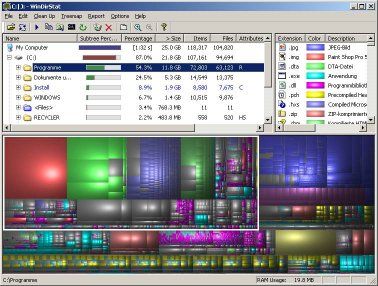
WinDirStat is a “disk usage statistics viewer and cleanup tool for various versions of Microsoft Windows.” Its main advantage is that it produces nice looking visualizations of exactly what is taking up all that space on hard drives.

WinDirStat Screenshot

There is a very similar app for Android called DiskUsage that will do the same thing for phone/microSD card storage.

List My Apps for Android

List My Apps for Android is one of those apps that fills a very niche purpose, but if you happen to need the functionality it provides, it is a godsend.

As the name suggests, the app simply outputs a list of all apps installed on your Android device in plain text, HTML, Markdown, etc.

I assume most people use this to share app list with friends, family or associates. I use this app every time I’m getting close to changing phones–with 568 apps on my phone and a lot of customizations surrounding those apps, I use it as the first part of generating a checklist of everything I need to do to get a new phone up and running like my old one.

Nick Kralevich on Android Security and Safety By Design Principles

Nick Kalevich, the Android Platform Security Engineering Lead, gave a presentation at Black Hat over the summer at which he addressed hardening Android. While I have a lot of concerns about Android security, I did like Kalevich’s statement early in his talk about his team’s efforts to make things safe by design.

“When you make the safest thing to do the easiest thing to do, people will do it.”

Google’s Rank Hypocrisy on Security Patches

Mateusz Jerczyk of Google Project Zero calls out Microsoft for implementing some security patches in Windows 10, but not Windows 7 and 8.1.

The aim of this blog post was to illustrate that security-relevant differences in concurrently supported branches of a single product may be used by malicious actors to pinpoint significant weaknesses or just regular bugs in the more dated versions of said software. Not only does it leave some customers exposed to attacks, but it also visibly reveals what the attack vectors are, which works directly against user security. This is especially true for bug classes with obvious fixes, such as kernel memory disclosure and the added memset calls. The “binary diffing” process discussed in this post was in fact pseudocode-level diffing that didn’t require much low-level expertise or knowledge of the operating system internals. It could have been easily used by non-advanced attackers to identify the three mentioned vulnerabilities (CVE-2017-8680, CVE-2017-8684, CVE-2017-8685) with very little effort. We hope that these were some of the very few instances of such “low hanging fruit” being accessible to researchers through diffing, and we encourage software vendors to make sure of it by applying security improvements consistently across all supported versions of their software.

On the one hand, he’s correct. Microsoft is leaving users of Windows 7/8.1 exposed to potential security risks by not patching those OSes, and they should be “encourage[d] . . .to make sure of it by applying security improvements across all supported versions of their software.”

On the other hand, it’s a bit rich of Google to be lecturing Microsoft for not patching older OSes. Take Windows 7. That OS was released on July 22, 2009 and mainstream support for it ended on January 13, 2015. Microsoft is committed to providing extended support, however, through January 14, 2020.

So Google is unhappy that 8 years after releasing Windows 7 that Microsoft failed to implement a security patch for a known vulnerability. Fair enough.

On July 9, 2012, Google released Android 4.1 Jelly Bean. A major vulnerability in Android 4.1 was discovered in early 2015. In January 2015, Google publicly announced that it would not develop a security patch for this bug for Android 4.1. It did graciously allow that if someone else wanted to develop a security patch for the 2-and-a-half year old OS that it might be willing to incorporate those into Android 4.1.

Unlike Microsoft, Google can’t even be bothered to publish formal end-of-life dates for its software. The only policy it has in place is related to its own Nexus and Pixel devices, and states that such devices will receive “security patches for at least 3 years from when the device first became available on the Google Store, or at least 18 months from when the Google Store last sold the device.”

Compared to Google, Microsoft is a paragon of virtue when it comes to supporting its customers on aging OSes.
SaveMyTime–Finally A Usable Time Tracking App for Android

I hate time tracking applications. Well, at least I did before I ran across SaveMyTime for Android.

The problem with time tracking applications is they are usually more trouble than they are worth. I’ve tried a couple dozen different time tracking systems and they inevitably end up reducing my productivity because they require me to make changes to my workflow to accommodate them. After a day or two, I generally give up on whatever the latest app I’m using to track time (and give up on the entire time tracking effort).

SaveMyTime has an ingenious method that I haven’t seen in a time tracking app before. When you unlock your phone, which I do numerous times a day, it will pop up a screen telling you how long it’s been since you last logged your time and asking you to select what you’ve been doing the last X minutes.

The interval can be set in the application–I have it ask me no more than once every 30 minutes. So if I unlock my phone a dozen times in a half hour, I’ll only see the time tracking prompt once.

There’s also an option, not depicted in the screenshot below, that lets the user allocate the elapsed time between multiple activities. For example, if I was working on my computer and then went for a run, when I unlock my phone I can allocate 15 minutes to the computer work and 45 minutes to the run.

The categories are completely customizable. I deleted most of the stock categories and created my own to fit what I do during the day and what I want to track.

There are a couple downsides to the app:

  1. At the moment there is no way to export the data you are collecting. There are some neat reports in the app, but this sort of system really needs an export to CSV option.I sent an email to the devs about this, and they indicated that an export/backup feature is planned for a future release.
  2. Cost. The app works on a fremium model. You can download and use it to test whether it is really right for you, but if you want to unlock things like custom categories, etc., you’re going to have to pay a yearly subscription fee of $19.99.Whether that’s a reasonable fee for a time tracking up will vary depending on how important time tracking is to you. For me, it’s worth it to pay a premium for an app that actually fits into my daily workflow.

LG Teases New G6 Feature: Phone Won’t Be Poorly Made Crap

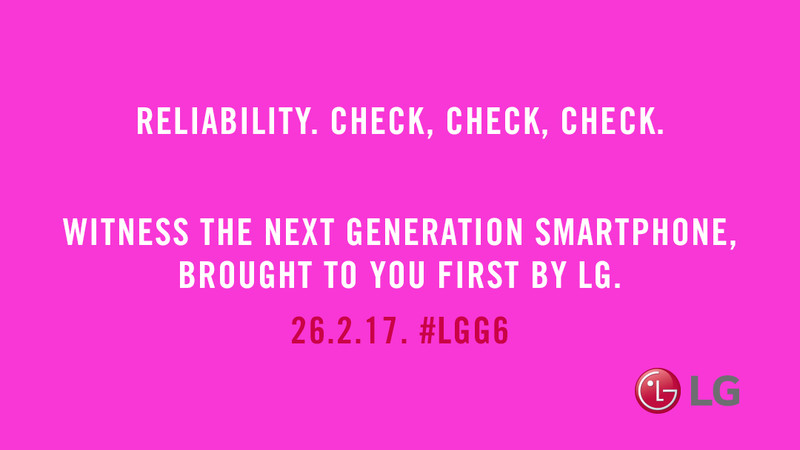
This Android Central story made me laugh out loud. LG’s phones have a history of poor workmanship, suffering from hardware and software problems that cause things like bootloops (where a phone simply reboots forever). As Android Central notes, the G4, G5, V10, and V20 all had bootloop problems. I had to return my LG G5 during the warranty period because it just started bootlooping while I was walking around one day.

So in one of its announcements for the G6, LG is claiming that it is finally going to make a reliable phone. Oh, well, that’s cool I guess. So you’re finally going to devote some efforts to quality control with this phone? Well, isn’t that special!